


 |
|
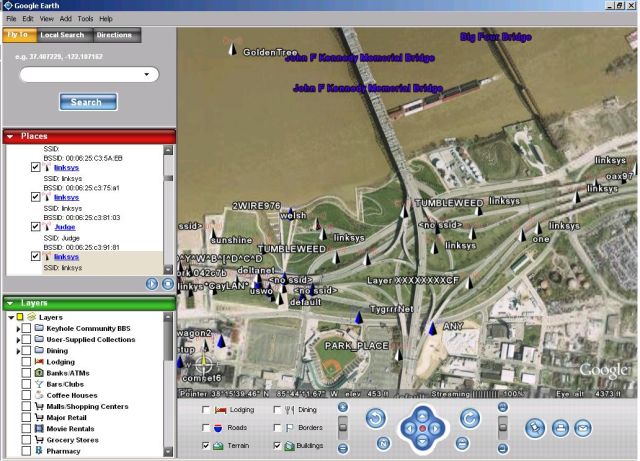
Google Earth showing Wireless Access Points found by WiGLE along the Louisville, KY riverfront. |
WiGLE is an online database of Wireless Access Points (802.11A/B/G) that is contributed to by folks using Netstumbler, Kismet and other war driving tools. WiGLE has a web interface of its own as well as Java desktop client called JiGLE. There is also a Google Maps interface for the data made by Meblah, but rendering a map with DHTML can be slow. That's why I wrote a PHP script that can take the cached data from JiGLE (found in the \JiGLE\WiGLEnet\data directory after you do a query) and turn it into a KML (Keyhole Markup Language) file that's easy to import into the Google Earth desktop application. With the generated KML file and Google Earth it's easy to view and parse the access point found by WiGLE users.
To use the script make sure you have PHP installed on your box and issue a command like the following:
php wigle-to-kml.php _39.0_-87.0_38.0_-86.0.autocache > mywaps.kml
I generated my KML files by copying the autocache file from \JiGLE\WiGLEnet\data on my Windows box to a Linux box then using the PHP script, but you may be able to do it all from a Windows box if you have PHP installed. I then took the resulting KML file (mywaps.kml) and opened it in Google Earth on my Windows box. You will notice when you open the KML file that there are two different icons for WAPs:
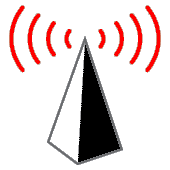
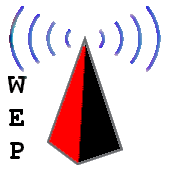
Obviously, the one on the left is for Access Points without WEP/WPA and the one on the right is for ones with WEP/WPA enabled. If someone wants to make be some better icons I'll use them.
Happy Mapping.
Updated: 2/28/2007:
I Wrote a better app for WiGLE/Google Earth mapping.
Updated: 6/15/2006:
Download the source: wigle-to-kml.txt (Right click and save)
Once you have it downloaded change the file extension from ".txt" to ".php". I use to host a Gzipped version of the script, but this seemed to confuse the MS Windows folks. :) I've tested it with the latest Google Earth (4.0.1565 Beta) and it still seems to work fine. If you have a large data set from a big metropolitan area expect Google Earth to be rather slow. WiFi access point maps of Louisville Kentucky makes Google Earth grind, I don't want to imagine what places like New York or LA would make it do. If you want to turn your KML file output into a compresses KMZ file just Zip it and change the extension from ".zip" to ".kmz" and your done. For examples of how to use this script and its output see the two links below:
See the video HERE
WiFi Map of Louisville, Ky in KMZ format: HERE
| Source Code: |
<?php |
 Printable version of this article