


Using Kon-Boot from a USB Flash Drive: Bypass those pesky Windows and Linux login passwords completely
Kon-boot is a cool tool you can download from http://www.piotrbania.com/all/kon-boot/ that boots from a CD or floppy and modifies memory to let you login without knowing a local account password in both Windows (even up to Windows 7 32bit SP1) and Linux (not all distros). Kon-Boot is sort of a boot loader that let's you bypass having to use valid credentials when the OS finishes booting. Unfortunately, CDs are hard to put in your pocket, and many machines don't have floppies any more. What I needed was to be able to put Kon-Boot on my pico USB thumbdrive. I found some details online about how to get it on a thumbdrive using the floppy image and Unetbootin, but I had some problems with it doing an infinity loop when I tried to use Kon-Boot from a USB flash drive (worked fine on the same box from a CD). I read some of the comments on Raymond's blog, and someone pointed out the problem but did not really give the file changes to fix it (which I will give below). It seems when you boot Kon-Boot from a USB device, the USB device becomes hd0, but then Kon-Boot tries to pass on the booting process to hd0 (when the internal drive is most likely hd1 at that point) so you get the infinity loop or gray screen. I modified the syslinx.cfg to get it to work. Here are the steps to get Kon-Boot to work from a USB pen-drive:
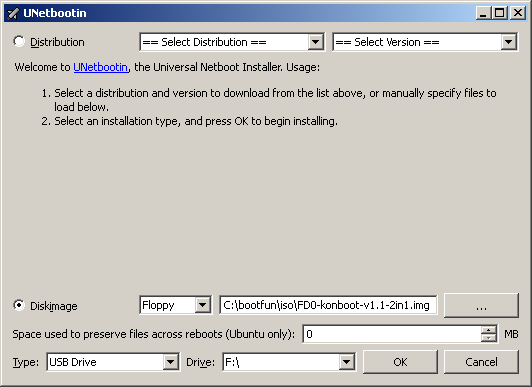
1. Write the floppy image (NOT THE ISO YOU INBRED FELCH MONKEY!!!) to a USB flash drive using Unetbootin as seen in this image.
2. Extract the files in the following zip to the root of your thumbdrive:
http://www.irongeek.com/downloads/irongeekusbkonbootfiles2.zip
3. Tell your BIOS to boot from a USB drive (F12 on most Dell's brings up this boot device menu).
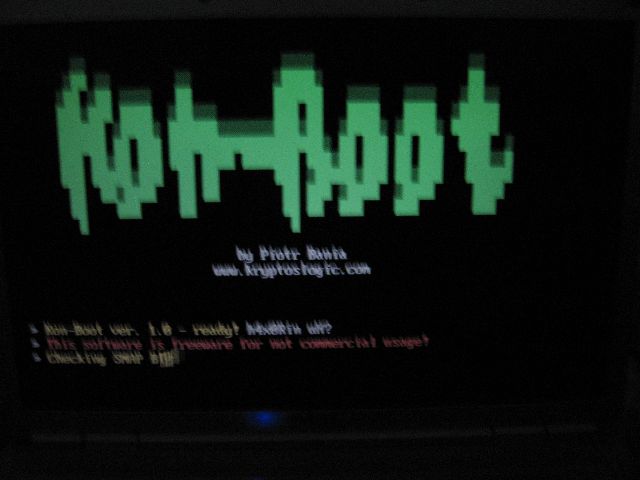
4. When the syslinux menu comes up, choose "1st Kon-Boot" first and step through it.
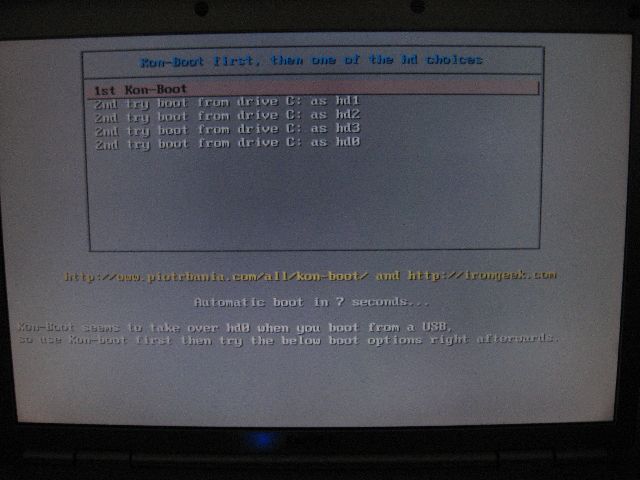
5. The 2nd time the syslinux menu comes up, choose the option "2nd try boot from drive C: as hd1".
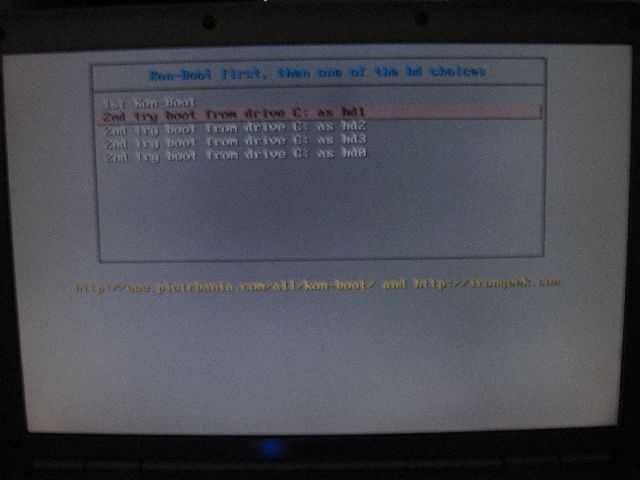
6. If hd1 does not work, try hd2 and so forth until you get in. If you have a a multi-boot system you may get a boot error, but it still worked for me after I confirmed past it.
7. On Linux login as kon-usr at the terminal (not GDM/KDM/XDM). On Windows use any valid local user name and a blank password (or even gibberish, anything you type in as a password seems to work).
Thanks to the Pauldotcom guys for letting me know about Kon-Boot.
Changelog:
07/08/2009: First posted.
05/31/2011: People kept complaining because my old config did not work with newer versions of Unetbootin. Changed the syslinux.cfg file since Unetbootin now uses menu.c32 instead of vesamenu.c32. Also put in a newer chain.c32 and updated the instructions.
 Printable version of this article